
Photo ID checks,
made simple.
For your first order, we need a clear photo of your passport or UK driving licence. It helps us confirm your identity and age before we safely dispense your treatment.
Photo ID uploaded
Ready for pharmacy review
Safe dispensing
Protecting patients and our pharmacy
Two accepted documents
Passport or UK driving licence
Handled securely
Only authorised team members can access it
One quick check helps us prescribe and dispense safely.
As a UK registered pharmacy, we need to confirm that you are who you say you are and that you meet the age requirements for your treatment.
Your photo ID helps us protect you, meet our professional and legal responsibilities, and reduce the risk of fraud or misuse of prescription medicines.
Your first-order ID check in three steps
There is no separate verification service - just upload your photo ID securely to your Reach account.
Upload your ID
Upload it when you reach the order confirmation page, or go to My Account → Photo ID Upload.
We review it
Our pharmacy team checks that your name, date of birth and photograph are clear and match your order details.
Your order continues
Once verified, we can continue processing your order. Your ID remains securely saved to your account for future orders.
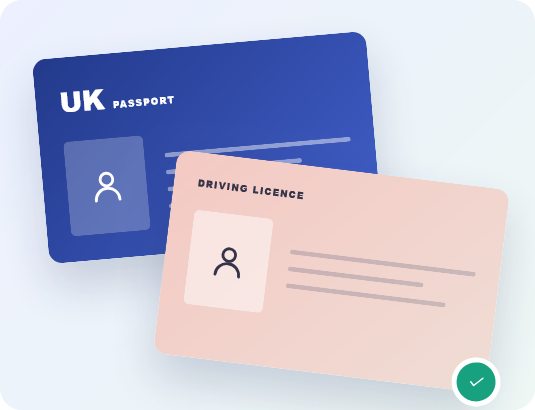
Choose one valid photo ID
Passport
The photo details page must be fully visible.
UK driving licence
Upload the front showing your photograph and details.
The ID must show your full name, date of birth and photograph. Your details should match the information used for your Reach account and order.
Log in to upload your ID
Make sure we can read
everything clearly
A good photo means we can complete the check without asking you to upload it again.
- Use the original, valid document
- Show the full document and all four corners
- Take the photo in bright, even lighting
- Make sure all text and your photograph are sharp
- Check there is no glare covering any details
- Blurred, dark or heavily shadowed photos
- Cropped images or hidden document edges
- Glare across your face or personal details
- Filters, edits, screenshots or photocopies
- Expired or damaged documents
Photo ID is separate from clinical photos. For some treatments, such as weight-loss care, we may also ask for treatment-specific photographs. We will explain these separately during your consultation.
Your ID is handled securely.
Your document is securely saved to your Reach account and is only accessible to authorised members of our pharmacy team. We use it for identity verification and handle it in line with UK data protection law and our Privacy Policy. We never sell your personal data.
Common questions
about photo ID
Still unsure? Our support team is available Monday to Friday, 9am to 5pm.
Contact supportReady to upload your photo ID?
Log in, open Photo ID Upload, and add one clear image of your passport or UK driving licence.